How to Prepare Your Brand Assets for an Animated Video
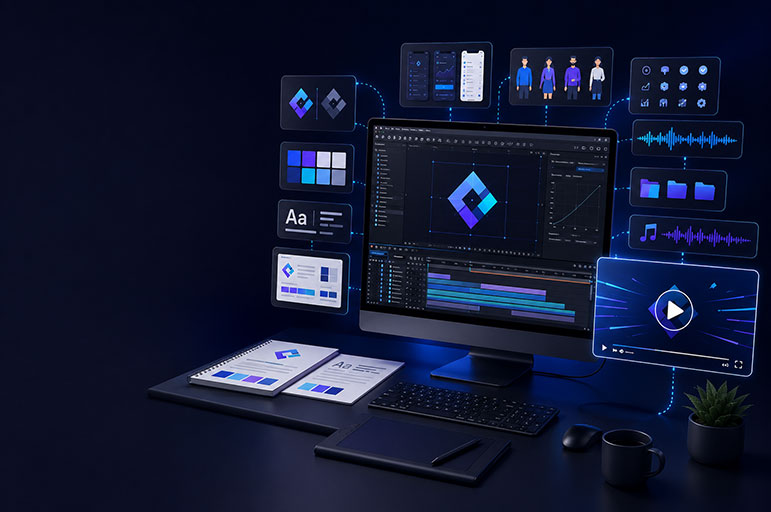
An animated video should feel like a natural extension of your brand, not a separate piece of content created in an unfamiliar style. The colors, typography, illustration style, logo treatment, tone of voice, and product visuals should all work together to make the video instantly recognizable.
That consistency begins before animation starts.
When your creative team receives complete, organized brand assets, they can spend more time developing strong visuals and less time searching for files, recreating graphics, or asking for missing information. It also reduces revisions, protects visual consistency, and helps the project move from script to final delivery more smoothly.
This guide explains exactly how to prepare your brand assets for an animated video, whether you are producing a SaaS explainer, product demo, motion graphics campaign, onboarding video, or social media advertisement.
Why Brand Asset Preparation Matters
Animation involves many connected decisions. A designer may need to know which logo variation works on a dark background, which font weight should be used for headings, how product screens should appear, or whether certain icons can be redrawn.
If that information is missing, the production team has to make assumptions. Even thoughtful assumptions can lead to a video that looks polished but does not fully match your brand.
Preparing your assets early helps you:
- Maintain consistent colors, fonts, imagery, and messaging
- Reduce unnecessary revisions and production delays
- Prevent outdated logos or product screens from appearing in the video
- Make design and animation decisions faster
- Protect the quality of your brand across every scene
- Give the animation team more time to focus on storytelling
This does not mean you need a large or complicated brand system. A small company can provide a simple logo folder, color palette, font files, website link, and several visual references. What matters is that the information is accurate and clearly organized.
1. Provide Your Logo in Editable Vector Formats
Your logo is one of the most important files in an animated video project. It may appear in the opening, closing frame, interface, transitions, or as part of a logo animation.
Whenever possible, send an editable vector version of your logo in one or more of these formats:
- AI, or Adobe Illustrator
- EPS
- SVG
- Editable PDF
Vector graphics can be resized without losing quality. They also allow the animator to separate individual parts of the logo when creating a custom reveal or motion sequence.
You should also include transparent PNG versions for quick reference and simple placements. Avoid sending only a small JPEG copied from your website. JPEG files usually include a background, may appear blurry when enlarged, and are difficult to prepare for professional animation.
Include every approved logo variation your brand uses, such as:
- Full-color logo
- White or reversed logo
- Black or monochrome logo
- Horizontal and stacked versions
- Symbol or icon-only version
- Logo with and without a tagline
Clearly label the preferred version and explain any restrictions. For example, mention if the logo must not be rotated, recolored, stretched, separated, or placed over certain backgrounds.
2. Share Your Brand Guidelines
A brand guideline document gives the creative team a reliable reference for visual and verbal decisions. It may be a detailed brand book or a simple one-page style guide.
Useful guidelines normally include:
- Logo usage and safe-space rules
- Primary and secondary colors
- Typography and font hierarchy
- Icon and illustration styles
- Photography direction
- Graphic patterns or shapes
- Tone of voice
- Examples of correct and incorrect usage
Send the latest approved version. Outdated guidelines can create confusion, especially if your company recently changed its logo, website, product interface, or messaging.
If you do not have formal brand guidelines, create a short reference document that lists your logo, exact color codes, fonts, website, and two or three examples that represent the visual direction you want. This is usually enough to establish a strong starting point.
3. List Exact Brand Colors
Color can look different across websites, print materials, presentation decks, and video screens. Do not rely only on visual samples. Provide the exact values for each approved color.
For animated and digital video, HEX and RGB values are the most useful. You may also include CMYK or Pantone values if they form part of your official brand system, but those are primarily intended for print.
For each color, identify its role where possible:
- Primary brand color
- Secondary color
- Accent or call-to-action color
- Background colors
- Text colors
- Approved gradients
- Success, warning, and error colors for interface scenes
Also mention whether any colors should be avoided or used sparingly. This helps the designer create contrast and visual hierarchy without moving outside your brand identity.
Accessibility matters as well. Brand colors that look attractive in a logo may not provide enough contrast for small on-screen text. A video designer may need to use an approved darker or lighter shade to keep captions and key messages readable.
4. Supply Fonts and Usage Instructions
Typography affects the personality of your animated video. A clean geometric font may communicate modern technology, while a softer rounded typeface may feel friendly and approachable.
Send the approved font files or links to the official font source. Include all weights and styles that may be needed, such as:
- Regular
- Medium
- Semibold
- Bold
- Italic
Explain which font is used for headlines, body copy, captions, numbers, and calls to action. If your primary brand font requires a paid license, confirm that it can legally be used by the production team and included in commercial video content.
When a font cannot be shared or licensed for the project, provide an approved alternative from Google Fonts, Adobe Fonts, or another accessible source. Choosing the replacement before design begins prevents inconsistent typography later.
5. Collect Icons, Illustrations, and Graphic Elements
Existing visual elements help an animator reproduce your established style accurately. Gather any approved:
- Icon libraries
- Character illustrations
- Product illustrations
- Background patterns
- Shapes and decorative elements
- Infographics or diagrams
- Charts and data visualizations
- Social media templates
- Presentation graphics
Editable vector files are ideal because individual layers can be prepared for motion. AI, EPS, SVG, and layered PSD files provide much more flexibility than flattened screenshots.
Make sure your company owns the assets or has permission to use them in commercial video. Files downloaded from stock websites, icon libraries, templates, or design platforms may have licensing limitations. Share the source and license information if there is any uncertainty.
If no illustration system exists, show the animator examples of styles that feel appropriate for your brand. References should communicate direction, not invite direct copying.
6. Prepare Product Screens for SaaS and App Videos
For a SaaS explainer or software demo, the product interface is often the main visual asset. Clean and accurate screens allow the animation team to present workflows clearly without misrepresenting the product.
Depending on the project, provide:
- Figma or Adobe XD design files
- High-resolution screenshots
- Screen recordings of important workflows
- A demo account with safe access
- A staging environment
- Mobile app screens for the required devices
- Notes explaining each action and expected result
Remove private customer information, internal data, passwords, API keys, financial details, and confidential messages before sharing any screen. Replace them with realistic sample content that can appear publicly.
If the product is still being developed, identify which screens are final and which are temporary. Mark any features that should not be shown. The animator can often build simplified interface mockups, but the team needs to know where creative interpretation is allowed.
It also helps to provide a short workflow document. For example:
- User signs in.
- User creates a new project.
- User uploads a file.
- The system analyzes the content.
- The dashboard displays the result.
This gives the animator context and makes it easier to choose which interactions deserve close-up attention.
7. Share Approved Images and Video Footage
Some animated videos combine motion graphics with photography, product images, live-action clips, or stock footage. If your project uses this mixed-media style, collect the original high-resolution files.
Useful materials may include:
- Product photographs
- Team or founder photos
- Office and workplace footage
- Customer-provided media
- Existing advertisements
- Event footage
- Device mockups
- Approved stock photos or videos
Avoid sending images compressed through messaging apps. Upload the original files to a shared folder whenever possible.
Confirm that everyone shown has granted permission for marketing use. You should also verify that music, footage, templates, and stock assets have the correct commercial licenses. A file being available online does not automatically mean it can be used in an advertisement.
8. Define Your Brand Voice and Messaging
Brand preparation is not limited to visual files. The narration and on-screen text should sound like your company.
Provide examples of existing copy that reflects your preferred voice, including:
- Website headlines
- Sales presentations
- Product descriptions
- Advertisements
- Email campaigns
- Previous video scripts
- Taglines and approved calls to action
Explain whether the tone should feel professional, conversational, energetic, technical, reassuring, playful, or premium. Also identify phrases your team prefers or avoids.
Create a list of approved product names, feature names, capitalization rules, and pronunciations. This is especially important for technical terms, acronyms, and brand names that will be recorded by a voice-over artist.
Finally, confirm the single action viewers should take after watching. It might be to book a demo, start a free trial, visit a landing page, download a resource, or contact your team. A clear call to action helps the entire video lead toward one useful outcome.
9. Provide Examples of Previous Brand Content
Past materials help the animation team understand how your brand has been presented and what should change.
Share relevant examples such as:
- Previous animated videos
- Social advertisements
- Product launch videos
- Presentation decks
- Website pages
- Campaign graphics
- Videos you like from other companies
Add a short note explaining what you like or dislike about each example. Saying “we like the pacing and transitions, but not the illustration style” is much more useful than sharing a link without context.
References should guide the visual language, level of energy, and production quality. Your final video should still be designed around your own message, audience, and identity.
10. Confirm Technical Deliverables Early
Brand assets must work within the final video formats. Before production begins, confirm where the video will be published and what versions you need.
Common deliverables include:
- 16:9 landscape video for websites, YouTube, and presentations
- 9:16 vertical video for Reels, Shorts, and TikTok
- 1:1 square or 4:5 portrait video for social feeds
- Silent version with captions for events or autoplay placements
- Short cutdowns for paid advertising
- Transparent-background animation for website use
- 1080p or 4K export
- Editable source files, if included in the agreement
A design created only for a wide landscape frame may not adapt perfectly to a narrow vertical layout. When multiple formats are planned from the beginning, the designer can keep important text and visual elements within safer areas.
Also provide any platform restrictions, maximum file sizes, caption requirements, or advertising specifications supplied by your marketing team.
11. Organize Everything in a Clear Folder Structure
Even excellent assets can slow down production if they arrive as scattered email attachments with unclear filenames.
Create one master folder with a structure similar to this:
01_Brand_Guidelines02_Logos03_Fonts04_Colors05_Icons_Illustrations06_Product_UI07_Photos_Footage08_Script_Messaging09_References10_Licenses
Use descriptive filenames such as CompanyName_Logo_Primary_RGB.svg instead of logo-final-new-2.svg. Remove duplicates, archive outdated versions, and identify which files are approved.
If you use Google Drive, Dropbox, OneDrive, or another sharing platform, check the permissions from a private browser window before sending the link. The production team should be able to access the files without requesting permission for every folder.
Animated Video Brand Asset Checklist
Before your kickoff meeting, confirm that you have prepared the following:
- Approved logo files in vector and transparent PNG formats
- Current brand guidelines
- Exact HEX and RGB color values
- Licensed font files or approved alternatives
- Editable icons, illustrations, patterns, and graphic elements
- Product screenshots, recordings, or design files
- Approved photography and video footage
- Correct product names, feature names, and pronunciation notes
- Brand voice and messaging examples
- Final or near-final script information
- Visual references with clear feedback
- Required video sizes, platforms, and export formats
- Commercial usage rights for all supplied materials
- One organized folder with working access permissions
- A designated decision-maker for approvals
Common Mistakes to Avoid
Sending only a low-resolution logo
A small web image will often look soft or pixelated in a full-screen video. Send the original vector file whenever possible.
Mixing old and new brand files
If several logo versions or color palettes are included without explanation, the designer may use an outdated asset. Remove old files or place them in a clearly labeled archive folder.
Sharing product screens with sensitive information
Always review screenshots and recordings for customer names, email addresses, financial data, login credentials, and internal messages.
Changing the script after animation begins
Small wording adjustments can affect timing, voice-over, scenes, and transitions. Approve the script before full animation whenever possible.
Forgetting about licensing
Confirm usage rights for fonts, stock media, music, icons, templates, and customer-provided content before production.
Giving references without feedback
Explain the specific qualities you want to borrow from each reference, such as pacing, color, camera movement, simplicity, or type animation.
What If You Do Not Have Complete Brand Assets?
Do not postpone a valuable video simply because your brand system is incomplete.
An experienced motion designer can often build a focused visual direction using your website, logo, colors, product interface, and a few examples. The team may create a video-specific style frame that defines typography, illustration, backgrounds, icons, and motion before producing the full animation.
The important step is to be honest about what is approved and what still needs creative development. If your brand is undergoing a redesign, mention it during the initial conversation so the video does not depend on materials that will soon be replaced.
How Early Should You Send Brand Assets?
Send the main assets before the visual style and storyboard are approved. Ideally, they should be available at the start of the project or immediately after the kickoff meeting.
The animator may not need every product screenshot on day one, but the core logo, colors, fonts, guidelines, and visual references should be ready before design frames are created.
If a file will arrive later, identify it in advance and provide a realistic delivery date. This allows the production schedule to account for the dependency.
Final Thoughts
Preparing brand assets for an animated video is not just an administrative task. It is one of the best ways to improve creative quality, maintain consistency, and keep production efficient.
Start with the essentials: editable logos, brand guidelines, exact colors, fonts, product visuals, approved messaging, and clear references. Organize everything in one accessible folder and identify the person responsible for final decisions.
The better the animation team understands your brand, the more confidently they can turn your message into a video that looks distinctive, communicates clearly, and supports your marketing goals.
Ready to Create an Animated Video for Your Brand?
Azad Motion Studio creates SaaS explainer videos, product demos, motion graphics, 2D animation, and AI-powered video ads for startups and growing businesses.
Whether you already have a complete brand system or only a logo and website, we can help organize the visual direction and turn your product or service into a clear, professional animated story.
Contact Azad Motion Studio to discuss your animated video project and receive a production plan tailored to your brand.
Suggested FAQ Schema Content
What brand assets are needed for an animated video?
The most useful assets are vector logo files, brand guidelines, exact color codes, licensed fonts, icons, illustrations, product screens, approved images, messaging examples, and technical delivery requirements.
Which logo file format is best for animation?
AI, EPS, and SVG are generally the best formats because they are editable vectors and can be resized without losing quality. A transparent PNG is also helpful for simple placements.
Can an animated video be created without brand guidelines?
Yes. A motion designer can develop a video-specific visual direction from your logo, website, colors, product interface, and reference examples. Approving a style frame before full production helps establish consistency.
Should I provide editable product design files?
Editable Figma, Adobe XD, Illustrator, or layered Photoshop files are helpful but not always required. High-resolution screenshots and clear screen recordings can also work, depending on the animation style.
When should brand assets be delivered to the animator?
Core brand assets should be shared at the beginning of the project, before style frames and storyboard designs are approved. Product screens and supporting content should be supplied according to the agreed production schedule.